


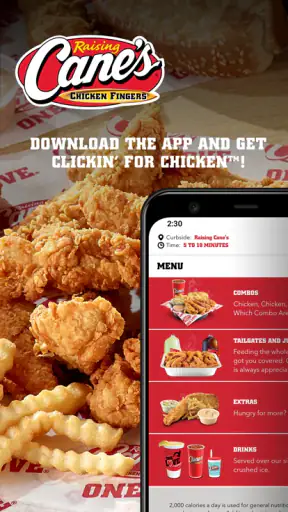
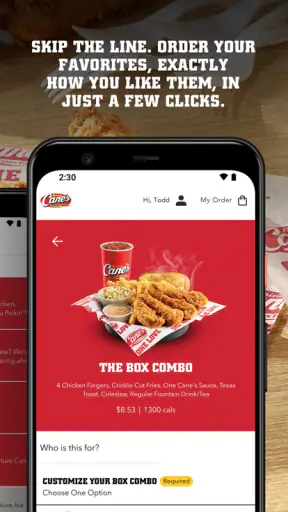
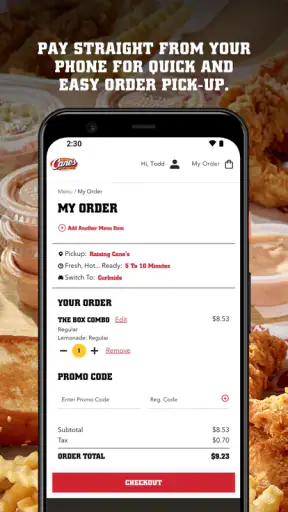
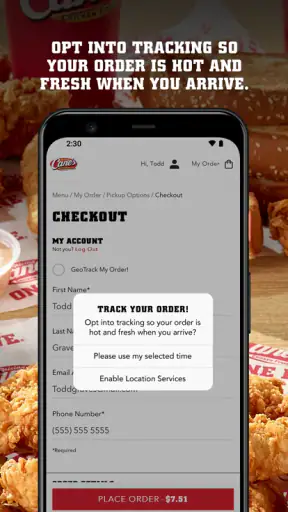
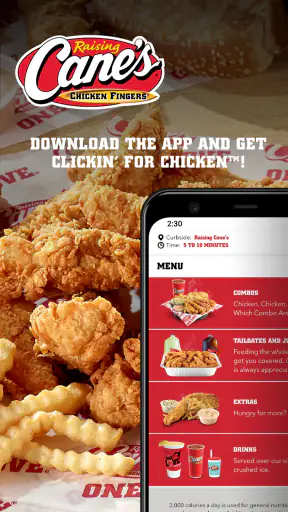
I found Raising Cane's Chicken Fingers most useful when I already knew what I wanted to eat and wanted to reduce the time spent standing at the counter. It is a free Food & Drink app from Raising Cane's Restaurants, L.L.C., built around ordering and paying ahead rather than browsing a huge restaurant marketplace. That narrow purpose is also its biggest strength: when I am in the mood for Raising Cane's, the app keeps the decision focused and turns the visit into a quicker pickup routine.
After using it, my overall impression is that this is a practical companion for regular Cane's customers, not a replacement for every way of ordering food. It makes the most sense for someone who visits often, has a preferred meal, and wants to organize the order before arriving. A first-time visitor may still prefer the restaurant itself, where asking questions and seeing the menu in person feels more natural. The app is rated for Everyone, costs nothing to download, and has reached over a million installs, so it is clearly aimed at ordinary everyday use rather than a niche audience.
How the app feels during a real order
Speed expectations: quick when the decision is already made
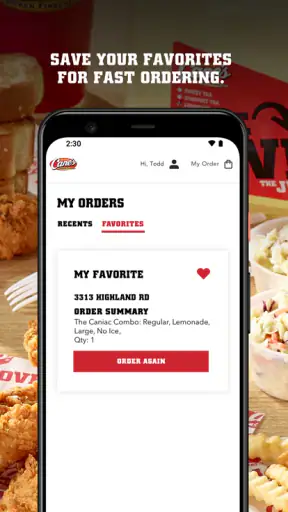
The app’s perceived speed depends less on endless browsing and more on how prepared I am to order. If I open it knowing that I want chicken fingers, a drink, and the usual sides, the process feels direct. The useful part is being able to handle the order before I reach the restaurant, which can make a busy lunch stop feel more controlled. I do not have to wait until I am at the register to begin choosing, and payment is handled as part of that advance-order flow.
That does not mean every visit becomes instant. I still need to select the right restaurant, review the order, and allow time for the food to be prepared. The app improves the ordering stage; it cannot remove the practical time involved in cooking, collecting, or dealing with a crowded location. I would describe it as a way to shift waiting earlier and make the pickup moment simpler, rather than as a guarantee that food will be ready immediately.
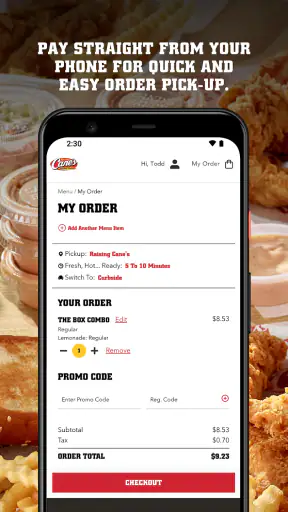
One small habit makes a noticeable difference: I review the complete basket before paying instead of rushing through the final screen. With a focused menu, it is tempting to tap quickly, especially when repeating a familiar meal. Taking a moment to check the location, sides, drink, and quantity helps prevent the kind of mistake that can erase the time saved by ordering ahead. This is particularly important when placing an order for more than one person.
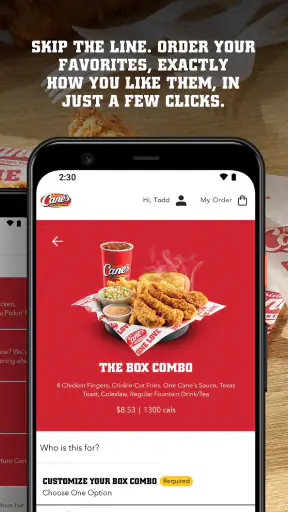
The app is also better suited to decisive ordering than to casual menu exploration. If I am comparing several restaurants, looking for delivery, or trying to discover a wide range of cuisines, a general food-ordering service is more convenient. Here, the benefit comes from staying inside the Raising Cane’s experience. The limited scope is not a flaw by itself; it simply means the app rewards loyalty and familiarity.
Heavy-use moments: where the workflow helps most
The clearest everyday use case is a planned lunch break. I can start the order before leaving work, choose the restaurant I intend to visit, and pay ahead so the counter interaction is shorter. That is more useful than opening the app only after arriving, because the preparation time and the travel time can overlap. I would still avoid placing the order too early if my schedule is uncertain, since a change of plans can turn convenience into an awkward pickup problem.
It is also helpful when ordering for a small group. Instead of trying to remember several meals while people are talking around me, I can build the basket carefully and confirm it once. The focused menu makes this less confusing than a broad marketplace with dozens of restaurants and unrelated options. My advice is to treat the basket as a checklist: confirm each person’s main item, side choices, drinks, and quantities before submitting.
There is a trade-off during the busiest periods. Advance ordering can reduce the amount of time I spend at the register, but it does not necessarily make the restaurant itself less busy. A crowded pickup area may still require patience, and the app cannot control how quickly a location handles a rush. I see the strongest benefit when I am trying to make the ordering stage predictable, not when I expect the entire visit to bypass normal restaurant traffic.
Another practical point is that the app is most comfortable for repeat orders when I already understand the menu. A new customer may need more time to decide what suits them, and a friend with dietary questions may want direct clarification before paying. In those situations, ordering in person can be the safer and more flexible choice. The app is at its best when convenience matters more than conversation.
Reliability and recovery when plans change
In normal use, the central flow is easy to understand: choose the restaurant, assemble the meal, pay ahead, and collect it. That simplicity helps the app feel stable because there are fewer layers between intention and action. I do not need to navigate an unrelated delivery marketplace or manage a long chain of third-party steps. For a regular customer, that focused design is reassuring.
Still, reliability is not only about whether screens open. A successful order also depends on reviewing the final details and keeping track of the selected location. My most important recovery habit is to pause before payment and make sure I am ordering from the restaurant I can actually reach. Choosing the wrong location is an avoidable problem, and no streamlined interface can compensate for skipping that check.
If I lose confidence in the connection or the screen stops responding during an order, I would avoid repeatedly submitting payment without first checking whether the order went through. A duplicate order is more frustrating than a few extra seconds of verification. In practical terms, I treat the confirmation stage as the point where I slow down, especially when the restaurant is busy or my phone connection feels inconsistent.
The app’s rating of 4.8 from around eighty-five thousand ratings suggests that many people find the experience dependable overall. I take that as a useful signal, but not as a promise that every device, location, or network condition will behave identically. My own judgment is that the simple purpose works in its favor: there are fewer distractions, and the main task remains clear. At the same time, a focused app gives me fewer alternatives when something about the planned order changes.
Device constraints and the kind of phone it suits
The app supports Android devices running at least version 5.1, which makes it accessible to people who are not using a recent phone. That broad compatibility is welcome for an ordering tool, since replacing a phone should not be necessary just to place a meal order. The current version is 2.14.4, so I would keep the app reasonably up to date when possible, particularly if an older installation begins behaving unpredictably.
I would not describe it as a demanding app based on its purpose. It is designed for selecting food and paying ahead, not for continuous video, advanced graphics, or long periods of background activity. In my experience, that makes it a sensible fit for a modest everyday phone. Even so, a device with very little free storage, an outdated operating system, or an unreliable connection can make any checkout process feel slower and less dependable.
Battery use is unlikely to be the deciding factor for most people because an order usually takes only a short session. The more relevant resource is attention: the app works best when I can read the basket carefully and confirm the location without rushing. On a small screen or an older device, I would be especially deliberate about checking the final order rather than assuming that a familiar meal was selected exactly as intended.
Privacy-conscious users may also prefer to limit how many restaurant apps they keep installed. In that case, the decision comes down to frequency. If I visit Raising Cane’s regularly, the dedicated app earns its space by making a repeated task easier. If I only go occasionally, using the restaurant’s other available ordering route or ordering at the counter may be simpler than maintaining another app.
What it does better than usual alternatives
Compared with ordering at the counter, the main advantage is preparation. I can make choices away from the queue, review the basket without people waiting behind me, and complete payment before reaching the restaurant. That is especially valuable for a familiar order during a short break. The counter remains better when I need help deciding, want to ask a specific question, or have not yet settled on a meal.
Compared with a general food marketplace, the dedicated app feels more focused. I am not sorting through unrelated restaurants, delivery options, or competing menus. That can make the path to a Cane’s order shorter, particularly for repeat customers. The downside is obvious: the app is only useful for this restaurant, so it cannot help me compare nearby alternatives when price, distance, dietary needs, or availability matter more than brand preference.
Compared with calling, the app gives me a written basket to inspect before submitting. That reduces the chance of mishearing a quantity or side choice, and it lets me place the order without waiting for someone to answer. A phone call can still be preferable for unusual requests or questions that are not easily resolved through a standard menu flow. I would choose the app for routine orders and a direct conversation for exceptions.
Who should use it, and who should skip it
I recommend it to regular Raising Cane’s customers, people with predictable lunch routines, and anyone who dislikes making a full order at the counter while a queue builds behind them. It is also a good fit for small group orders when one person is responsible for collecting everyone’s choices. The free price removes the main barrier to trying it, so frequent customers have little to lose by testing the advance-order workflow.
I would skip it if I rarely eat at Raising Cane’s, need broad restaurant comparison, or usually decide what to eat only after arriving. I would also be cautious about relying on it when my schedule is uncertain. The app is designed to make a planned order easier; it is not the best tool for a spontaneous meal where the restaurant, timing, or order details may change repeatedly.
People with special questions about ingredients or meal suitability should not assume that a fast checkout process replaces personal clarification. If the standard choices do not answer what I need to know, I would contact the restaurant or order in person before paying. Convenience is valuable, but not when it encourages me to guess about something important.
My performance verdict after regular use
My verdict is positive, with a clear boundary: this is a focused ordering utility, not a complete food-discovery platform. It feels quickest when I repeat a known Cane’s order, prepare it before arriving, and verify the location and basket at the end. Its modest scope helps the main workflow stay understandable, while its usefulness drops sharply if I want comparison, conversation, or flexibility outside the standard ordering path.
The app has been available since October 26, 2020, and the current 2.14.4 release shows that it remains an actively maintained part of the restaurant’s digital experience. I would not install it simply because every restaurant app sounds convenient. I would install it because I visit Raising Cane’s often enough for advance ordering to remove a real point of friction from my routine.
For me, the best approach is to use it as a planning tool: choose the destination carefully, build the meal without rushing, check every item, and allow realistic time for pickup. Used that way, the biggest benefit is not flashy technology but a calmer, more predictable ordering routine. The app earns my recommendation for repeat customers who value that small improvement, while occasional visitors and people seeking a broader food-ordering experience will probably be happier with another option.


